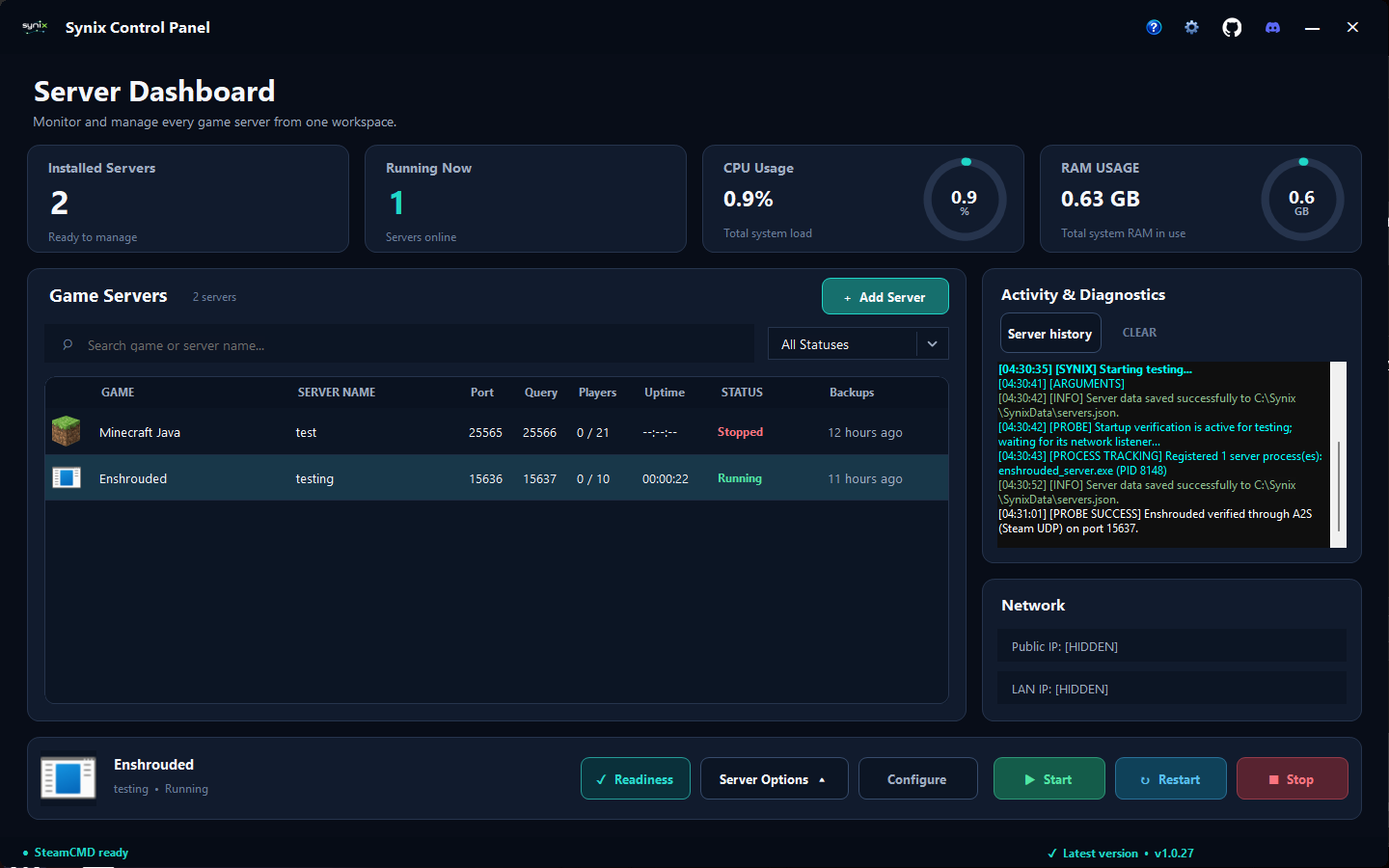
Dashboard
Server dashboard
See installed servers, live status, CPU and RAM usage, recent backups, and activity in one place.
View screenshot
Explore real screens from the dashboard, guided setup, automation, and live monitoring.
Check your servers, follow their activity, and reach the tools you use most from one dashboard.
Explore the dashboard guideScreenshots show test servers in the English interface. Available settings vary by game.
18 screenshots
Dashboard
See installed servers, live status, CPU and RAM usage, recent backups, and activity in one place.
View screenshot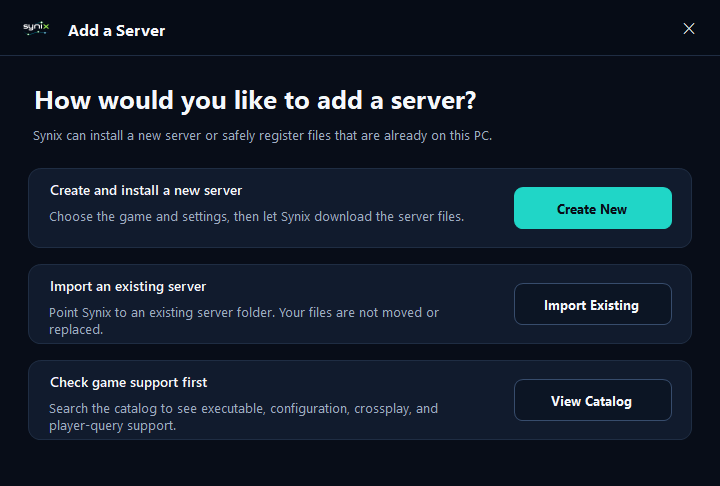
Server setup
Create a new server, import an existing installation, or check the game catalog before you start.
View screenshot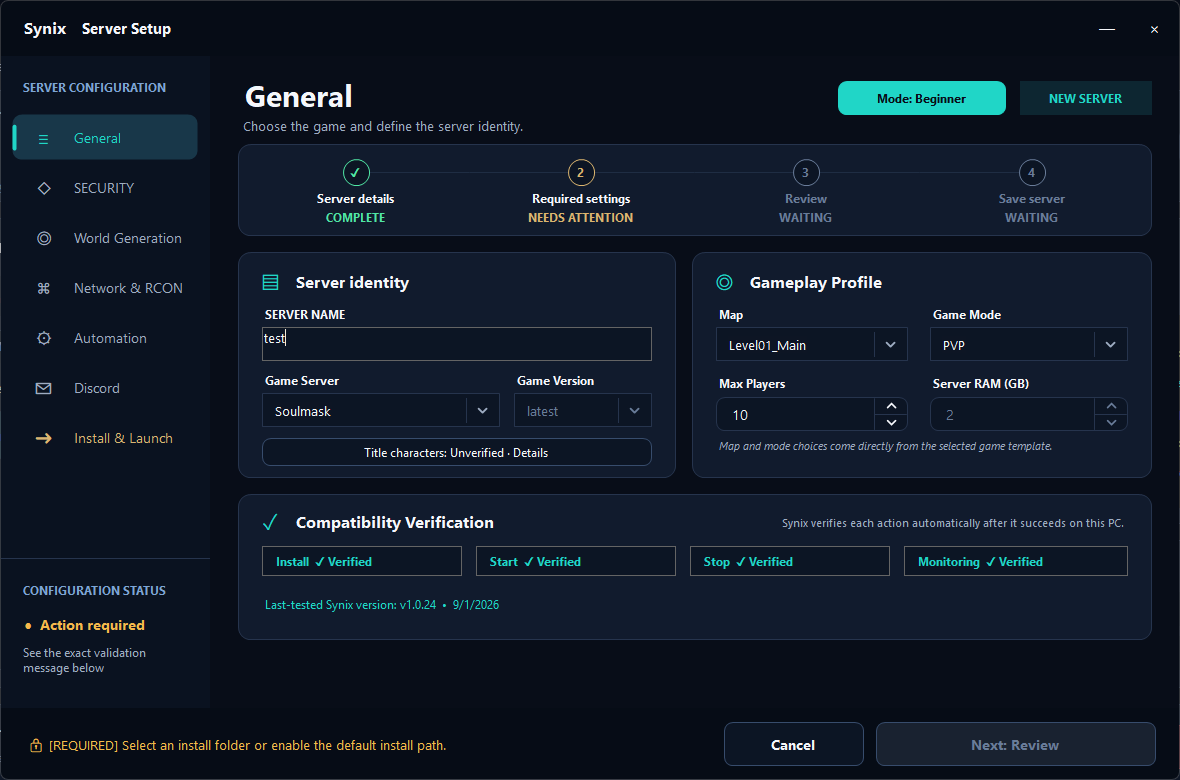
Server setup
Choose a game, name your server, and set the map, game mode, and player limit.
View screenshot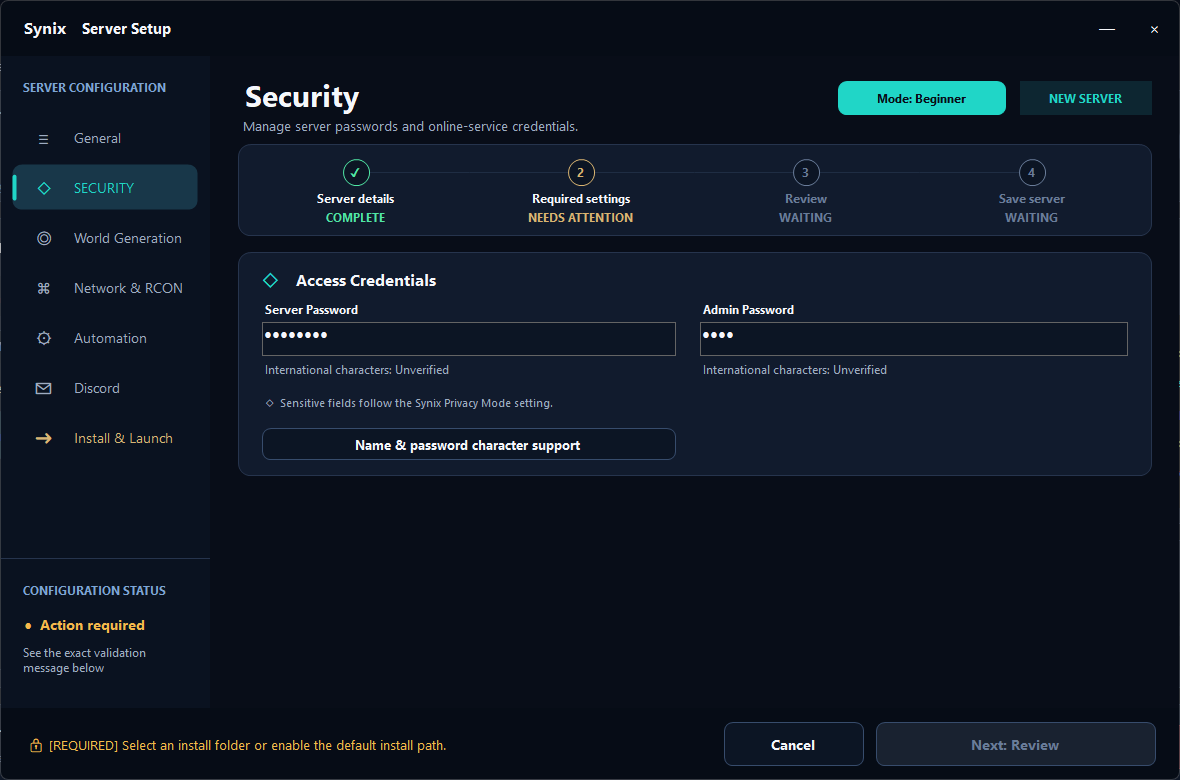
Server setup
Manage server and administrator passwords, with sensitive values concealed in the interface.
View screenshot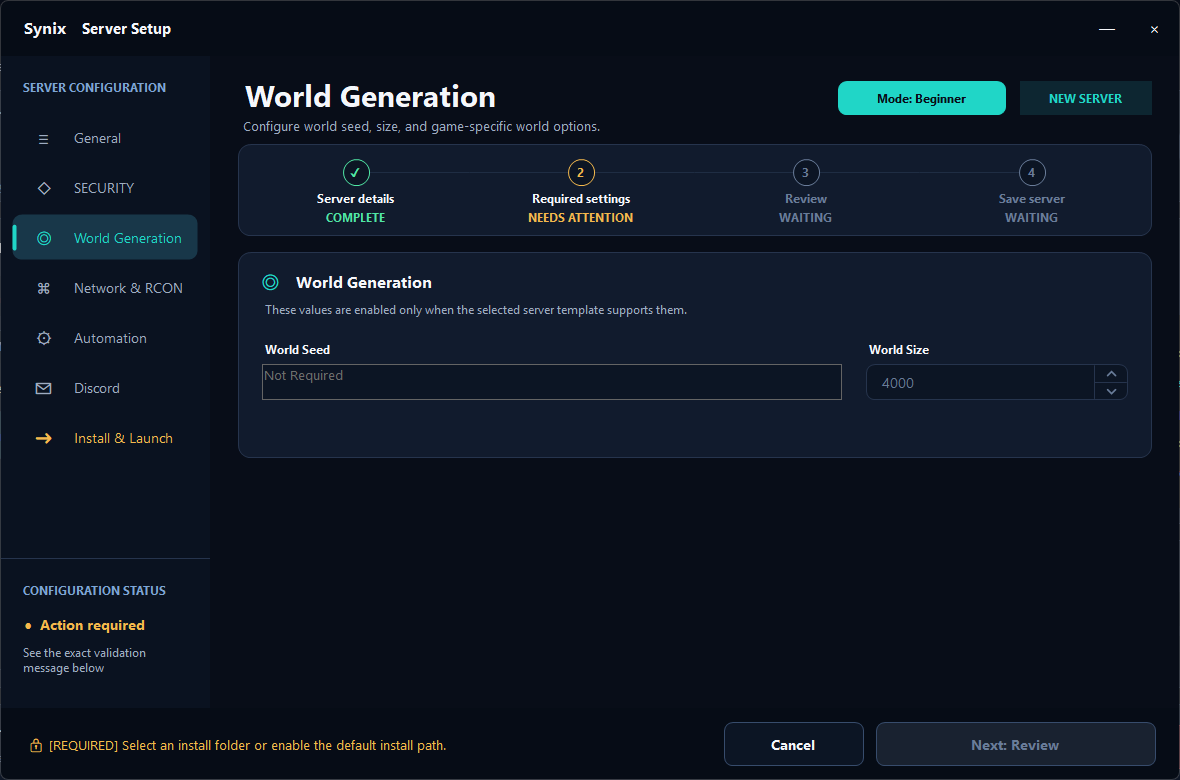
Server setup
Configure world seeds and world size when the selected game supports them.
View screenshot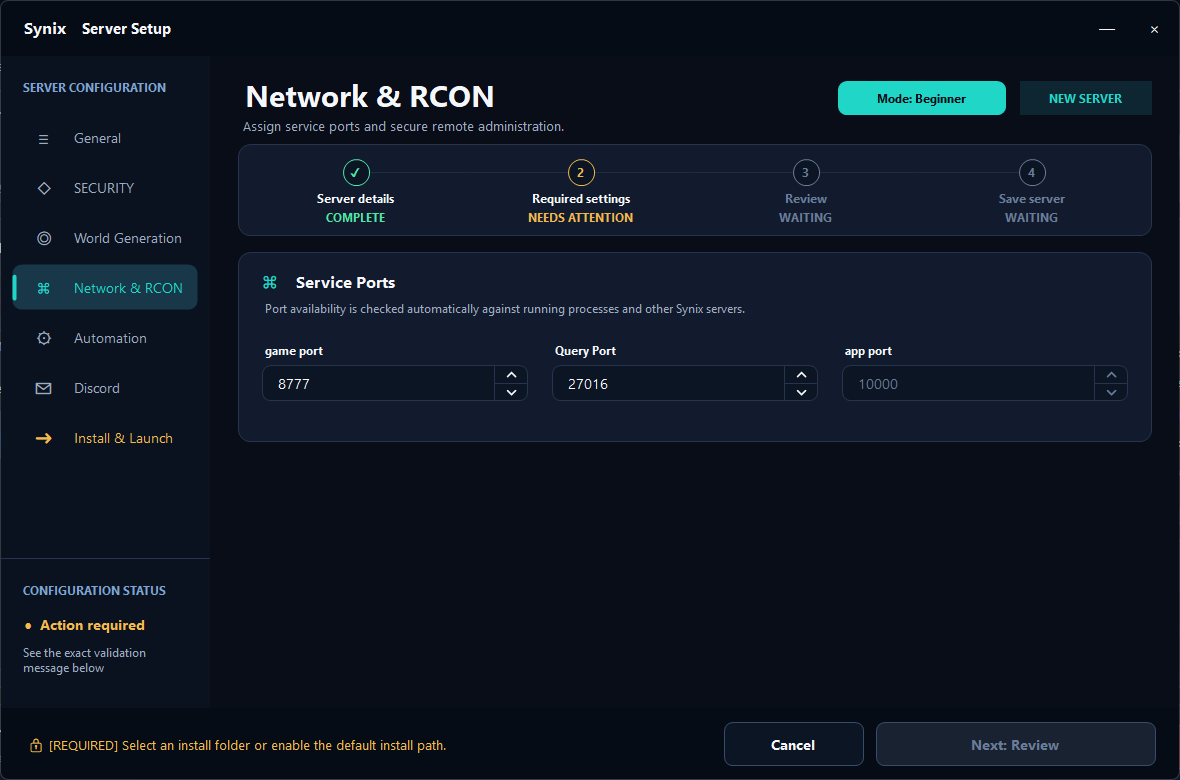
Server setup
Choose game and query ports and review the network options available for your server.
View screenshot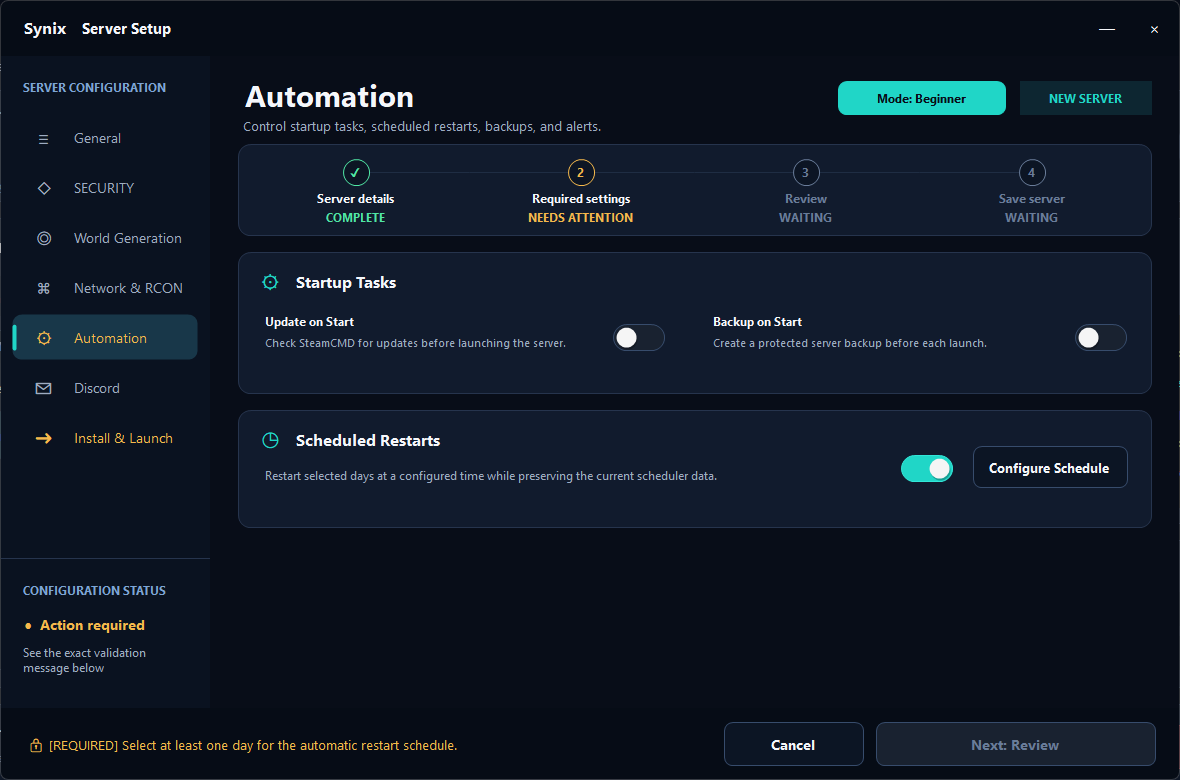
Automation
Set up updates, backups, and scheduled restarts from the server configuration.
View screenshot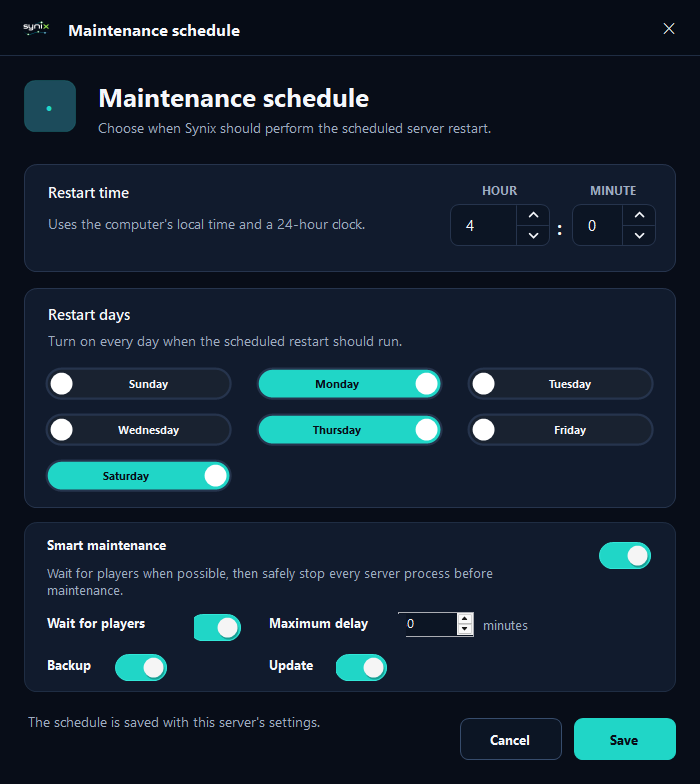
Automation
Choose restart days and times, wait for players, and include backups or updates in maintenance.
View screenshot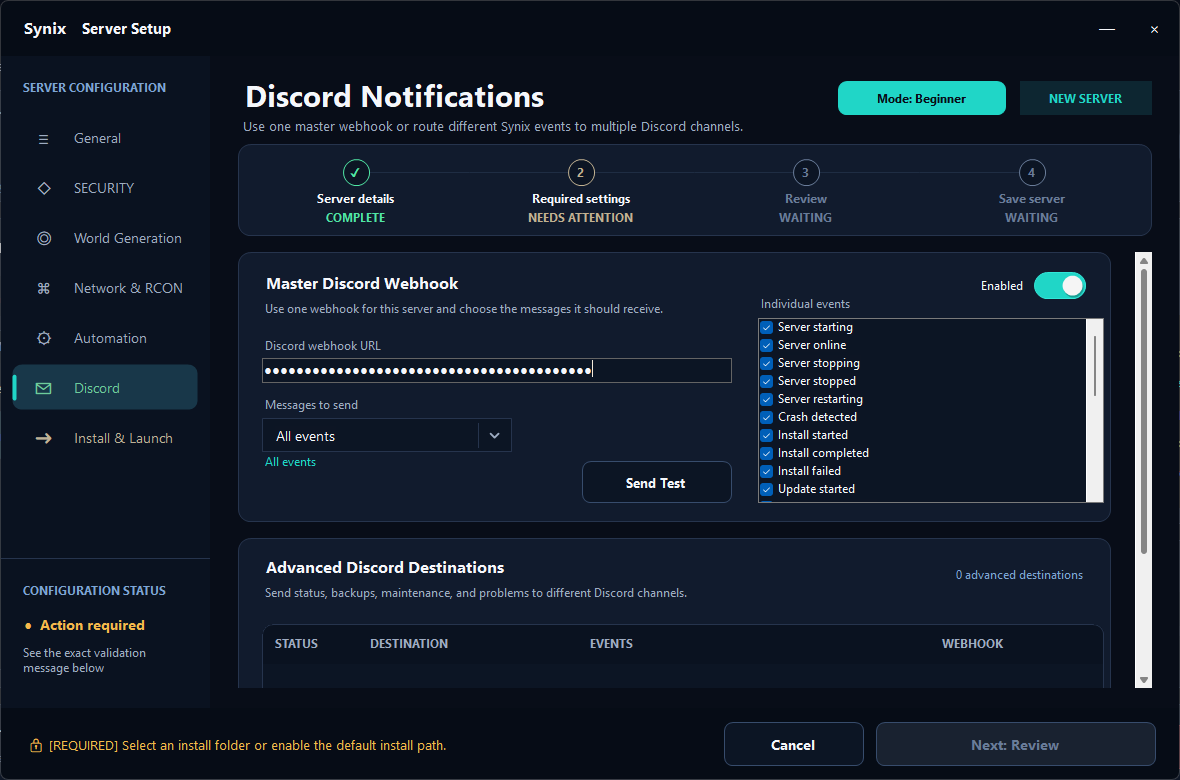
Automation
Choose which server events go to Discord and manage separate notification destinations.
View screenshot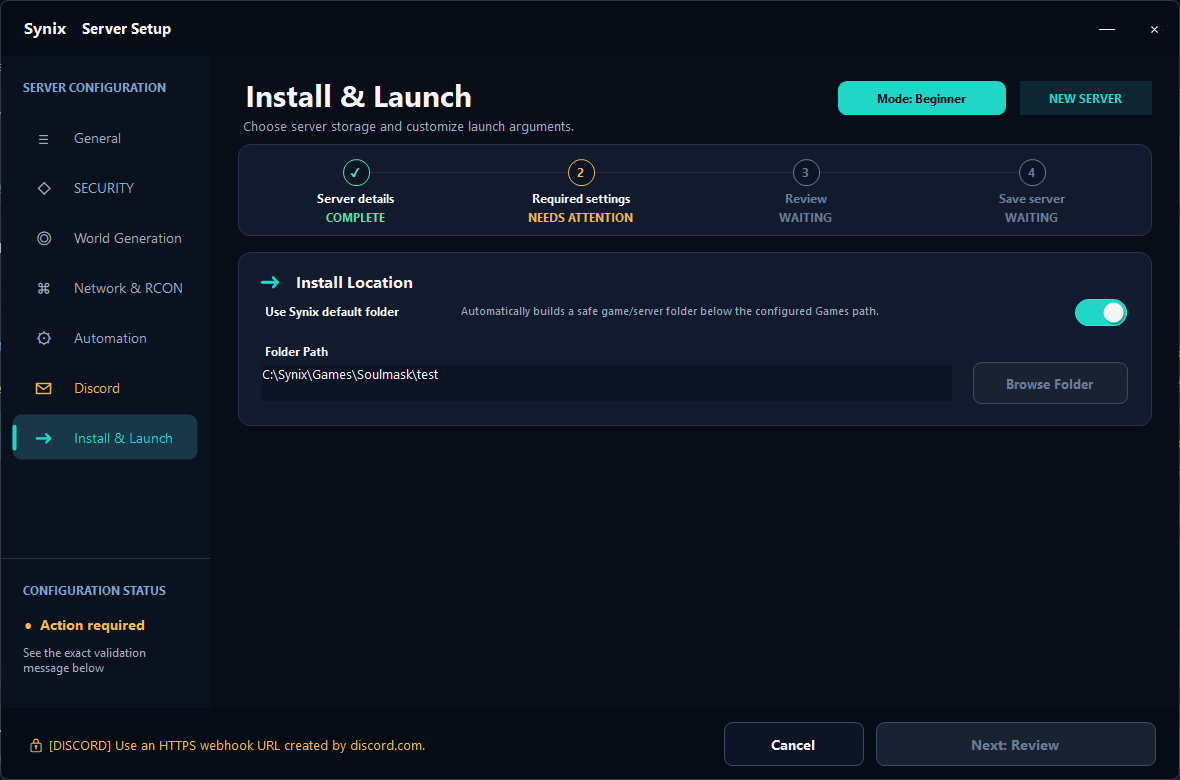
Server setup
Use the default game-server folder or choose an installation location for the server.
View screenshot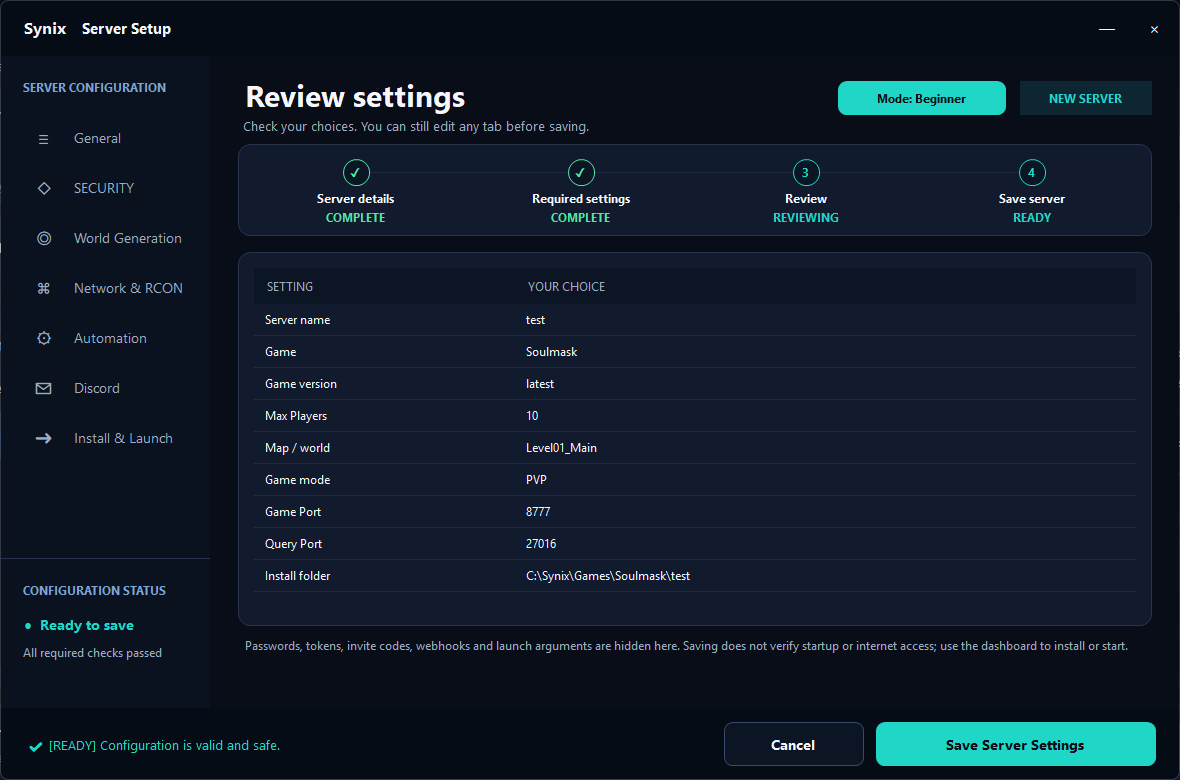
Server setup
Review the server name, game, ports, and installation folder before saving your choices.
View screenshot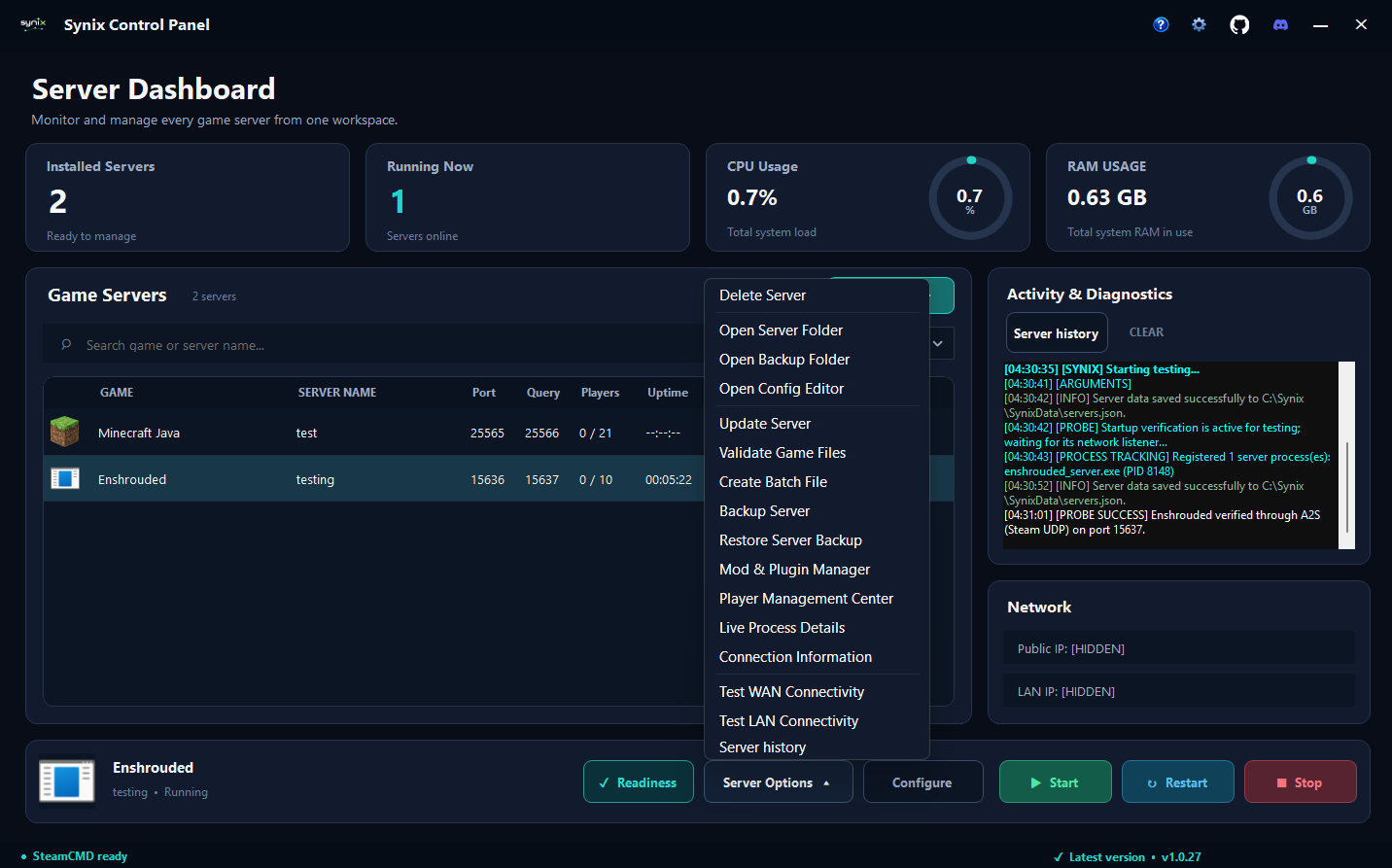
Dashboard
Open configuration, updates, backups, mods, player management, process details, and connection tools.
View screenshot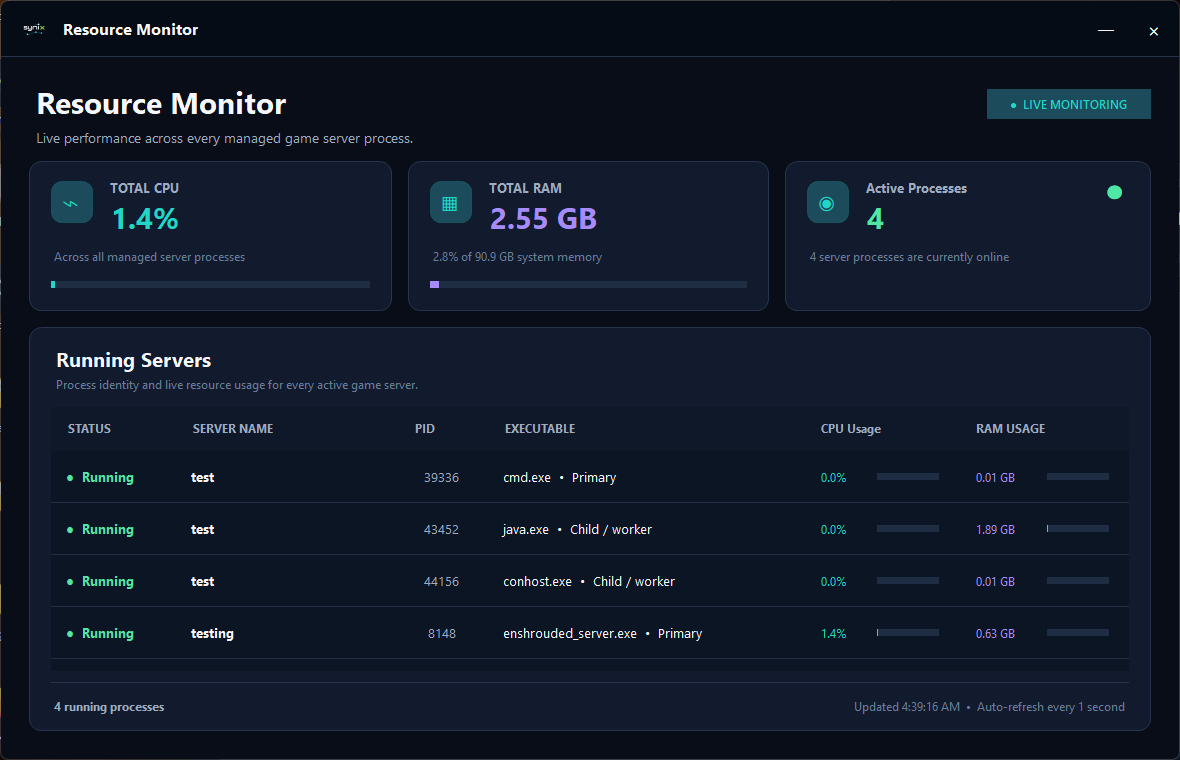
Monitoring
See total CPU and RAM usage across managed server processes, with a live breakdown for each process.
View screenshot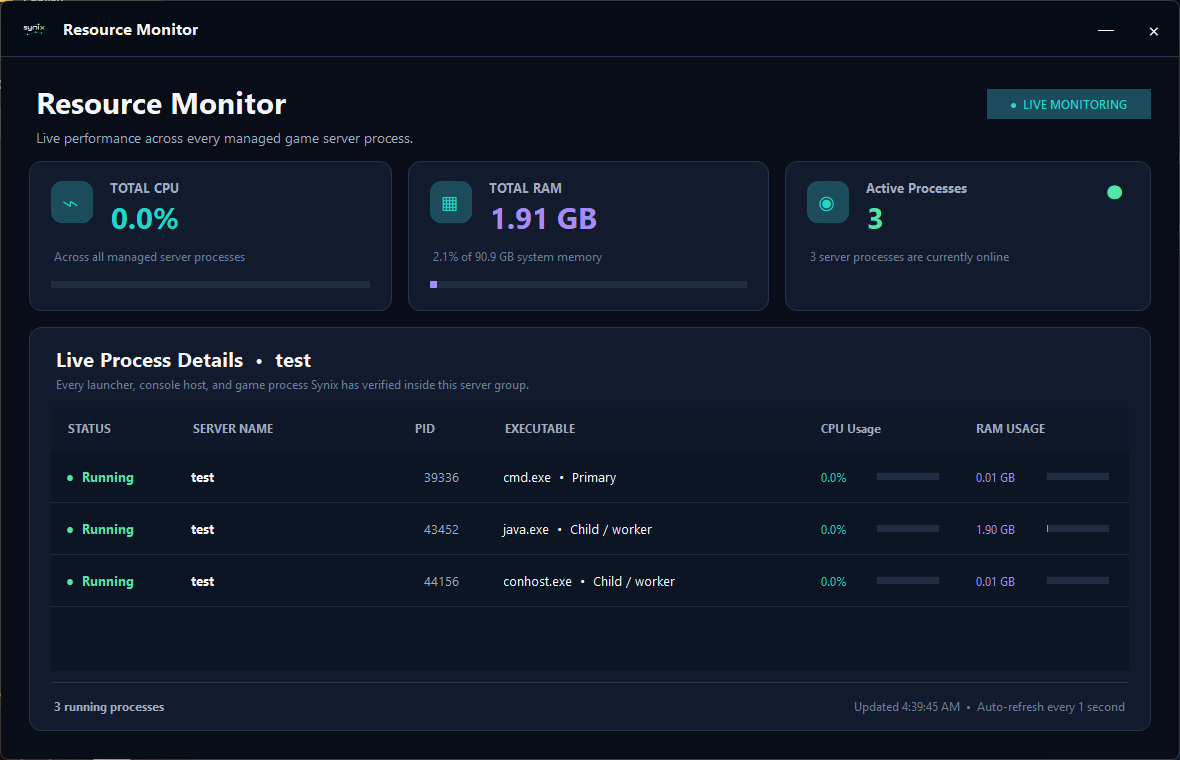
Monitoring
Inspect the launcher, console host, and game processes associated with an individual server.
View screenshot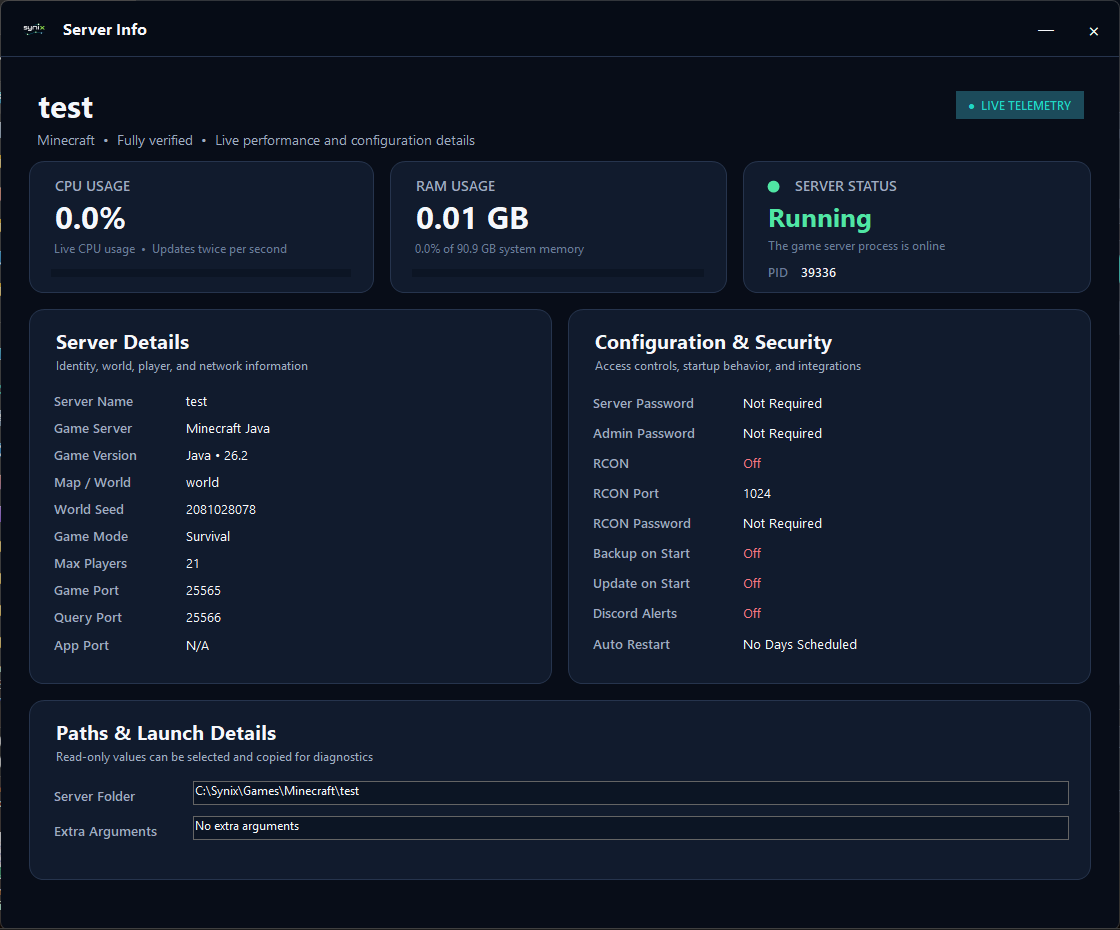
Monitoring
Review live status, resource usage, game settings, security options, and server paths together.
View screenshot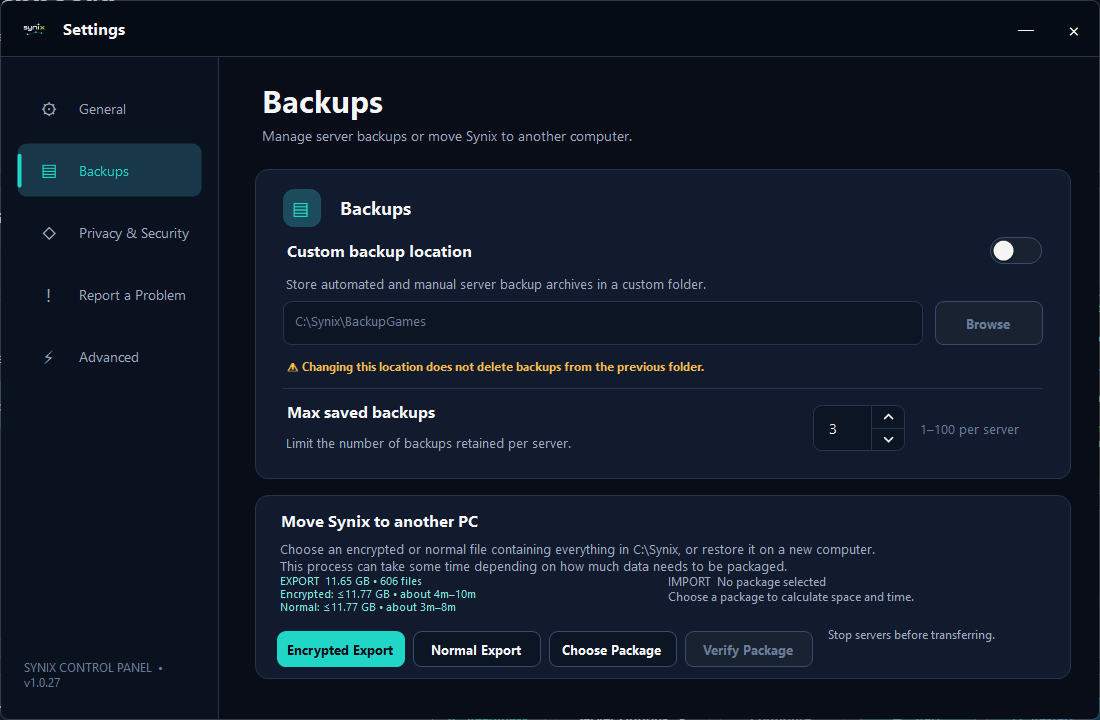
Settings & help
Choose a backup location and retention limit, or package your Synix data for a move to another computer.
View screenshot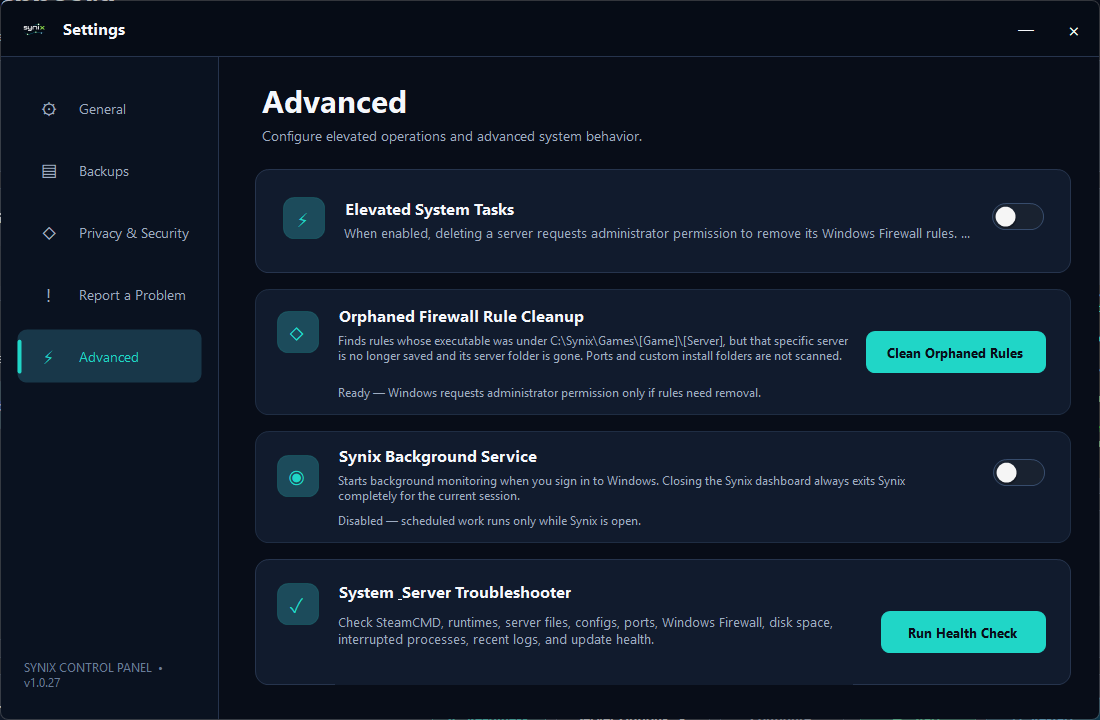
Settings & help
Manage background monitoring, firewall cleanup, elevated tasks, and system health checks.
View screenshot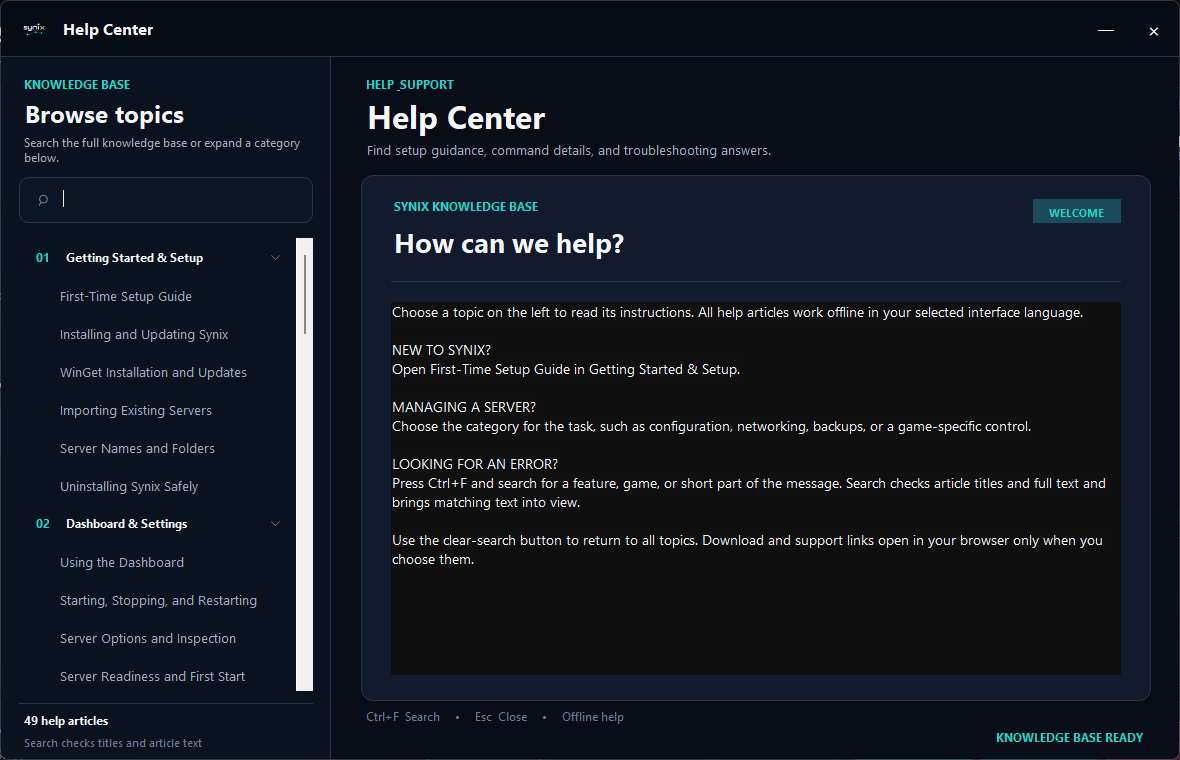
Settings & help
Search setup guides, server controls, and troubleshooting articles from within Synix.
View screenshotChoose a download or follow the guide to set up your first server.